Mastering Retro Textures with Halftone Procreate Brush Stamps
In the evolving landscape of digital illustration, texture is often the bridge between a flat image and a piece that feels tangible, lived-in, and authentic. For artists working within the iPad ecosystem, the demand for tools that can replicate the imperfections of analog media has never been higher. This is where Halftone Procreate Brush Stamps have emerged as an essential resource for creators seeking to infuse their work with character. Whether you are designing album covers, creating zines, or simply adding depth to character illustrations, understanding how to leverage these specific tools can significantly elevate your artistic output.
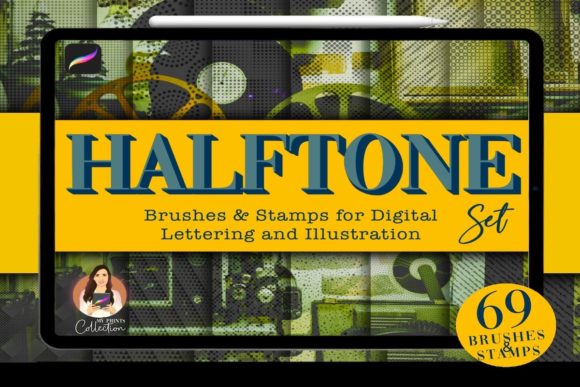
The core appeal of this toolkit lies in its ability to simulate the organic randomness of traditional printing processes. Unlike standard digital brushes that often feel too clean or uniform, a well-crafted halftone set introduces grain, cracks, and vintage wear that mimic the passage of time. By integrating The Halftone Procreate Set, which includes 49 seamless brushes and 20 distinct stamps, artists gain immediate access to a library of effects that would otherwise take hours to create manually.
Deconstructing the Toolkit: Brushes vs. Stamps
To fully utilize this asset pack, it is crucial to understand the distinction between the two primary components: the brushes and the stamps. While they serve complementary roles, their applications differ significantly in workflow and outcome.
The 49 Seamless Brushes
The backbone of this collection is the set of 49 Procreate brushes. These are not merely static images; they are dynamic tools designed to respond to your Apple Pencil’s pressure, tilt, and speed. The term "seamless" is key here. It means that when you draw a continuous line or fill a large area, the texture repeats without visible junctions or awkward breaks. This is particularly important for background work or shading large surfaces where consistency is vital.
These brushes cover a wide spectrum of retro aesthetics. You will find options that simulate coarse newsprint, fine magazine dot patterns, and heavy ink bleeds. Some brushes are designed for subtle under-texturing, adding a faint grain that prevents color bands from looking too digital. Others are more aggressive, intended to create bold, grungy overlays that define the mood of a piece. The variety ensures that you are not locked into a single style, allowing for experimentation across different projects.
The 20 Procreate Stamps
If the brushes are for painting, the 20 Procreate stamps are for placing. Stamps are pre-designed elements that appear with a single tap. In the context of Halftone Procreate Brush Stamps, these are typically larger, more complex textures such as paper tears, coffee stains, cracked paint patches, or concentrated clusters of halftone dots.
Stamps are invaluable for speed. Instead of painstakingly painting a crack or a stain, you can select a stamp, place it on your canvas, and adjust its size and opacity. This feature is particularly useful for collage-style art or when you need to add specific focal points of distress to a composition. They act as quick fixes for compositions that feel too sterile, providing instant visual interest.
Technical Requirements and Compatibility
Before investing time in learning these tools, it is essential to verify that your setup supports them. Digital art assets are often platform-specific, and misunderstanding compatibility can lead to frustration.
- Software Requirement: You must have the Procreate App installed on your iPad. Specifically, version 5 or higher is required to ensure full functionality of the brush engine and file formats.
- File Format: The brushes come in a .brushset file, which is native to Procreate. This allows for easy installation and organization within the app’s brush library.
- Limitations: It is critical to note that this set is not compatible with Photoshop or Illustrator. These are proprietary files designed exclusively for the Procreate environment. If your workflow relies heavily on Adobe Creative Cloud, you will need to rasterize your Procreate layers before moving them, but you cannot import the live brushes themselves into Photoshop.
This exclusivity is both a strength and a limitation. For Procreate users, it means the brushes are optimized for the iPad’s touch interface and processing power. For multi-platform users, it requires a committed workflow within the Procreate ecosystem for the texturing phase.
Real-World Applications and Use Cases
Who benefits most from Halftone Procreate Brush Stamps? The answer spans various creative disciplines. Here are a few scenarios where these tools shine:
- Comic Book and Graphic Novel Artists: Halftone patterns are historically rooted in comic printing. Using these brushes allows modern digital comic artists to pay homage to classic print styles, adding authenticity to speech bubbles, backgrounds, and shadow areas.
- Poster and Gig Designers: Music posters and event flyers often rely on a gritty, DIY aesthetic. The grungy and cracked textures in this set can transform a clean vector-like design into something that looks like it was screen-printed on rough paper.
- Brand Identity Designers: For brands aiming for a heritage, vintage, or artisanal look, these textures can be applied to logos and packaging mockups. They help soften the harshness of digital typography, making brands feel more approachable and established.
- Digital Scrapbookers: The stamps are perfect for digital journaling. Adding a virtual coffee stain or a torn paper edge can make a digital layout feel personal and tactile.
Evaluating Suitability for Your Projects
While the versatility of The Halftone Procreate Set is impressive, it is not a one-size-fits-all solution. Knowing when to use these tools is as important as knowing how.
When to Use Them: Use these brushes when your project demands emotion, history, or imperfection. If you are creating a piece that aims to evoke nostalgia, warmth, or raw energy, halftones and grunge textures are excellent conduits for those feelings. They are also ideal for breaking up large blocks of solid color, which can sometimes appear flat on high-resolution screens.
When to Exercise Caution: Avoid overusing these textures in corporate, minimalist, or high-tech designs where clarity and cleanliness are paramount. A heavy halftone overlay can reduce readability and distract from the core message if not applied subtly. Additionally, be mindful of resolution. While Procreate handles large canvases well, excessive use of complex stamps on very large files can impact performance on older iPad models.
Tips for Natural Integration
To get the most out of your Halftone Procreate Brush Stamps, consider these practical tips for integration:
First, experiment with layer blending modes. Simply placing a texture on top of your art often looks pasted on. Try setting the texture layer to Multiply, Overlay, or Soft Light. This allows the underlying colors to show through, creating a more cohesive and integrated look.
Second, vary your opacity. Rarely should a texture be at 100% opacity unless you are going for a stark, high-contrast effect. Dialing it back to 20-40% often yields a more sophisticated result that adds depth without overwhelming the subject.
Finally, combine brushes and stamps. Use the seamless brushes for general tonal variation across the canvas, and then use the stamps to add specific points of interest or damage. This layered approach creates a more complex and believable texture profile.
Conclusion
The shift towards digital art does not mean we must abandon the tactile qualities of traditional media. Tools like Halftone Procreate Brush Stamps empower artists to bring the warmth and imperfection of the physical world into their digital workflows. With 49 seamless brushes and 20 versatile stamps, this set offers a robust palette for anyone looking to add grunge, retro vibes, or vintage charm to their creations.
By understanding the technical requirements—specifically the need for Procreate version 5 or higher—and recognizing the unique strengths of brushes versus stamps, you can streamline your workflow and enhance the emotional impact of your art. Whether you are a seasoned professional or a hobbyist exploring new styles, incorporating these textures can open up new avenues for creative expression, proving that even in a digital age, there is beauty in the grain.