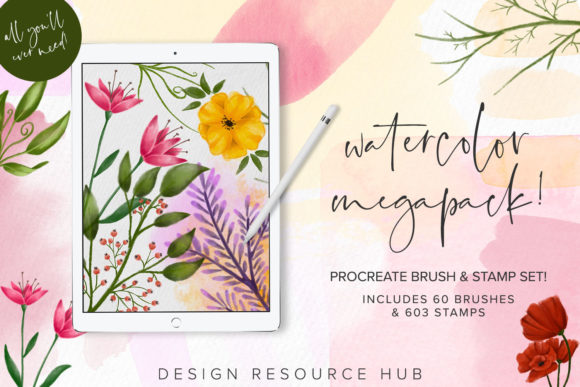
Procreate Watercolor Megapack: A Practical Guide to Digital Painting Success
Digital art has evolved rapidly, bridging the gap between traditional media and modern technology. For many creators, the Procreate Watercolor Megapack represents a significant step toward achieving authentic, organic textures on the iPad. However, owning a powerful set of tools does not automatically guarantee professional results. Many artists rush into purchasing extensive brush libraries without understanding the technical requirements or the learning curve involved. This often leads to frustration, wasted resources, and artwork that feels stiff or artificial.
The core appeal of this megapack lies in its sheer volume and specificity. With 60 brushes and 603 stamps, it offers an exhaustive toolkit for digital painters. Yet, the value of these assets is entirely dependent on how they are used. To get the most out of this collection, you must move beyond simple installation and understand the nuances of pressure sensitivity, layer management, and device compatibility. Ignoring these fundamentals can severely limit your creative output.
Understanding Compatibility and Hardware Requirements
One of the most common and costly mistakes buyers make is overlooking software compatibility. It is crucial to understand that the Procreate Watercolor Megapack is engineered exclusively for the Procreate app on iPad. These files are not compatible with Adobe Photoshop, Clip Studio Paint, or any desktop-based illustration software. Attempting to import these brushes into unsupported applications will result in errors or non-functional tools, leading to immediate dissatisfaction.
Furthermore, the hardware you use plays a pivotal role in the performance of these brushes. The stamps and brushes in this set are created with Apple Pencil pressure in mind. While it is technically possible to use a finger or a generic capacitive stylus, you will not achieve the intended dynamic range. The subtle variations in line weight, opacity, and watercolor bleed are triggered by the precise pressure data sent by the Apple Pencil. Without it, your artwork may appear flat, lacking the delicate translucency that defines high-quality watercolor simulation.
Before purchasing, verify that your iPad model supports the Apple Pencil generation required for optimal performance. If you are using an older tablet or a third-party stylus that lacks pressure sensitivity, consider upgrading your hardware first. Investing in premium brushes without the necessary input device is akin to buying a high-performance sports car but only driving it in first gear. You simply cannot access the full value of the toolset.
Avoiding the "More Is Better" Trap
With 603 stamps and 60 distinct brushes, the sheer volume of content can be overwhelming. A frequent error among beginners is assuming that using more brushes equals better art. In reality, relying on too many different textures can create visual chaos. Your composition may lack cohesion if every element uses a different stamp or brush style. This inconsistency distracts the viewer and undermines the professionalism of the final piece.
A better approach is to curate a small subset of favorites. Start by testing five to ten brushes that suit your specific style. Master their behaviors, learn how they interact with different opacity settings, and understand how they blend with underlying layers. Once you have achieved consistency with a limited palette, you can gradually introduce other elements from the megapack. This methodical exploration ensures that each new tool serves a purpose rather than adding unnecessary noise to your workflow.
Additionally, do not underestimate the power of customization. Procreate allows you to adjust streamlines, size limits, and pressure curves for each brush. Many users skip this step, using the default settings for every project. By tweaking these parameters, you can adapt a single brush to perform multiple roles, reducing the need to constantly switch tools and helping maintain a unified aesthetic throughout your artwork.
Mastering Technique Over Tools
Having a basic knowledge of Procreate is recommended, but not strictly required, to start using this megapack. However, expecting the brushes to do all the work is a misconception that hinders growth. Watercolor painting, whether traditional or digital, relies heavily on technique. Understanding how water interacts with pigment, how colors mix wet-on-wet, and how to control drying times is essential.
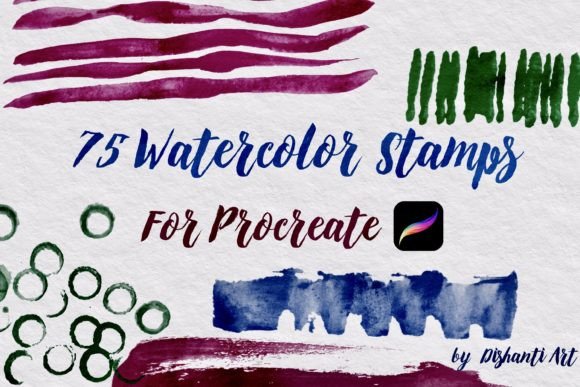
In Procreate, these effects are simulated through layer blending modes and opacity controls. If you paint with full opacity on a single layer, you will lose the characteristic transparency of watercolor. Instead, utilize multiple layers with reduced opacity to build up depth gradually. Use the stamps strategically to add texture or detail, such as leaf patterns or splatter effects, rather than relying on them to define entire shapes. This layered approach mimics the physical process of painting, resulting in a more natural and engaging final image.
For those creating branding items, logo designs, or posters, precision is key. Watercolor textures can sometimes appear messy if not controlled. Use masking layers to clean up edges and ensure that your organic textures fit within the structured boundaries of your design. This balance between freedom and control is what separates amateur experiments from professional-grade commercial art.
Evaluating Value and Application
When considering the purchase of the Procreate Watercolor Megapack, think about your specific goals. Are you creating custom artwork for clients? Designing marketing materials? Or simply exploring a new hobby? The versatility of this set makes it suitable for a wide range of applications, from intricate illustrations to bold poster designs. However, its value is maximized when you have a clear project in mind.
Freelancers and small business owners should consider how these assets can streamline their workflow. The pre-made stamps can significantly reduce the time spent on repetitive details, allowing you to focus on composition and color theory. Educators and bloggers can use these tools to create engaging visual content that stands out in a crowded digital landscape. By integrating these brushes into your regular toolkit, you enhance your efficiency and expand your creative possibilities.
Ultimately, the decision to buy should be based on your willingness to learn and adapt. These brushes are not magic wands; they are instruments that require practice. Check reviews, watch tutorial videos, and assess your current skill level. If you are ready to invest time in mastering digital watercolor techniques, this megapack offers an exceptional resource. If you are looking for instant, effortless results without effort, you may find the learning curve steeper than expected.
By avoiding common pitfalls regarding compatibility, hardware, and technique, you can unlock the true potential of the Procreate Watercolor Megapack. Focus on building a strong foundation, experimenting thoughtfully, and respecting the nuances of digital painting. With the right approach, these 60 brushes and 603 stamps can become indispensable allies in your creative journey, helping you produce work that is both beautiful and professionally polished.