Unlocking Whimsical Art with Procreate Magic Toadstool Watercolour Brushes
Digital art has evolved from a niche hobby into a robust professional industry, yet many artists still struggle to replicate the organic, unpredictable beauty of traditional media on a screen. The sterile perfection of digital lines can sometimes feel cold or disconnected from the emotional warmth of hand-painted pieces. This is where specialized tools like the Procreate Magic Toadstool Watercolour brush set become essential. Designed for artists who crave texture, depth, and spontaneity, this collection bridges the gap between digital precision and traditional watercolor aesthetics. Whether you are a seasoned illustrator looking to streamline your workflow or a beginner eager to create stunning visuals without years of paint mixing practice, understanding how to leverage these tools can transform your creative output.
The Challenge of Digital Texture and Organic Feel
One of the most common hurdles for digital artists is achieving a natural look. Standard digital brushes often produce uniform strokes that lack the granulation, bleeding, and drying effects characteristic of real watercolor paints. Artists frequently spend hours manually adding noise, adjusting layer opacities, and blending colors to mimic these effects, which can be time-consuming and technically demanding. Furthermore, creating whimsical, storybook-style illustrations requires a specific softness and charm that rigid vector lines or flat fills simply cannot provide.
The need for efficiency is another critical factor. In today’s fast-paced creative economy, whether for print-on-demand services or client commissions, speed matters. Artists need tools that deliver high-quality results quickly. This is precisely the situation where Procreate Magic Toadstool Watercolour steps in. By providing pre-configured, pressure-sensitive brushes that simulate multi-tonal textures and paper grain, this pack allows creators to focus on composition and storytelling rather than fighting against the software to achieve a desired aesthetic.
What Is the Procreate Magic Toadstool Watercolour Brush Pack?
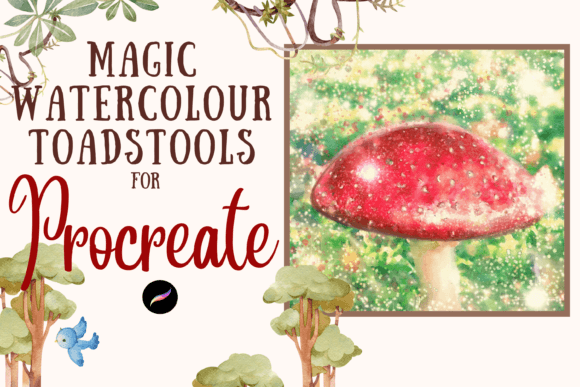
The Procreate Magic Toadstool Watercolour collection is a comprehensive suite of 82 unique digital brushes designed exclusively for the Procreate app on iPad. These are not simple stamps; they are dynamic, pressure-sensitive tools that react to the speed and force of your Apple Pencil. The pack includes a diverse range of brush types, including multi-tonal washes, textured painterly strokes, and realistic paper backgrounds. Each brush is engineered to behave like its traditional counterpart, allowing pigments to pool, bleed, and dry with a level of authenticity that surprises even traditional painters.
Because these files are digital brushes, they require specific hardware and software to function. You must have an iPad with the Procreate app installed and an Apple Pencil to utilize the pressure sensitivity features effectively. Without this setup, the nuanced capabilities of the brushes cannot be fully realized. Additionally, users need a method to download and unzip the files, such as iCloud and an app like iZip, before importing them into Procreate. Once installed, these brushes reside in a named folder, ready to elevate your digital canvas instantly.
Practical Applications for DIY Projects and Professional Work
The versatility of the Procreate Magic Toadstool Watercolour brushes extends far beyond simple sketching. Their primary strength lies in their adaptability for various commercial and personal projects. For those involved in the print-on-demand industry, these brushes are invaluable. You can create unique designs for greeting cards, invitations, and wrapping paper that stand out in a saturated market. The whimsical nature of the toadstool-themed textures lends itself perfectly to children’s book illustrations, nursery wall art, and seasonal decor.
Scrapbooking enthusiasts and digital planners also benefit significantly from this pack. The ability to resize and recolor each brush stroke means you can customize elements to fit any theme. Instead of relying on static clip art that everyone else uses, you can generate custom floral borders, background washes, and decorative accents that are entirely your own. This level of customization adds a professional touch to DIY projects, making them feel bespoke and high-quality.
Moreover, these brushes are excellent for creating textured overlays. By using the paper brushes included in the pack, you can add a subtle grain to your entire illustration, unifying the piece and giving it a tactile quality. This is particularly useful for artists who want their digital work to look like it was printed on high-end watercolor paper, enhancing the perceived value of the final product.
Tailoring Your Approach: From Beginners to Professionals
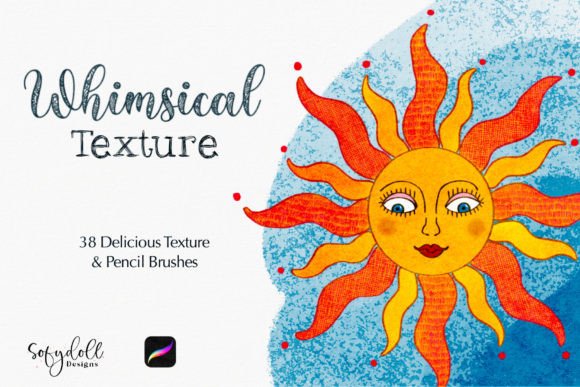
Different users will approach the Procreate Magic Toadstool Watercolour pack in distinct ways, depending on their skill level and goals. For beginners, the immediate benefit is the removal of technical barriers. You do not need to understand complex color theory or blending modes to create something beautiful. Simply selecting a multi-tonal brush and sweeping it across the canvas yields impressive, sparkling results. This instant gratification can boost confidence and encourage further exploration of digital art techniques.
Intermediate artists might use these brushes to expand their stylistic range. If you typically work in flat vectors or clean line art, incorporating these watercolor elements can add depth and interest to your portfolio. Experimenting with the textured painterly brushes can help you develop a signature style that blends modern digital clarity with traditional warmth.
Professional illustrators, on the other hand, will appreciate the efficiency and consistency the pack offers. When working on tight deadlines, having a reliable set of brushes that perform predictably is crucial. The pressure sensitivity allows for rapid iteration, enabling pros to lay down base coats, add details, and refine textures without switching between multiple tools or layers excessively. The ability to recolor brushes on the fly also streamlines the revision process, allowing for quick adjustments based on client feedback.
Maximizing Results with Technical Considerations
To get the most out of your Procreate Magic Toadstool Watercolour brushes, it is important to understand the technical requirements and best practices. First, ensure your iPad and Apple Pencil are updated to support the latest Procreate features. Lag or connectivity issues can disrupt the fluidity of the brush strokes, diminishing the natural feel. Second, take time to explore the settings within each brush. While they are pre-configured for optimal performance, adjusting size, opacity, and flow can help you tailor the effect to your specific project needs.
File management is another key consideration. Since these are digital downloads, organizing your assets properly ensures you can find the right brush quickly. Use a reliable unzipping program to extract the files cleanly, and import them into a dedicated folder in Procreate. This keeps your workspace tidy and prevents clutter from affecting your creative flow. Additionally, consider backing up your brush sets to iCloud or another cloud service to prevent data loss.
Finally, remember that these brushes are just tools; your creativity is the driving force. Experiment with layering different brushes, combining textured washes with fine details, and playing with color combinations. The Procreate Magic Toadstool Watercolour pack provides the foundation, but your artistic vision determines the final outcome. By embracing the whimsical and textured possibilities these brushes offer, you can create illustrations that are not only visually stunning but also emotionally resonant.
In conclusion, the Procreate Magic Toadstool Watercolour brush set is more than just a collection of digital tools; it is a gateway to a richer, more expressive form of digital art. Whether you are designing for commercial success or personal enjoyment, these brushes provide the texture, flexibility, and charm needed to bring your ideas to life. By understanding their capabilities and integrating them into your workflow, you can overcome the limitations of digital media and create work that truly stands out.